Rebli

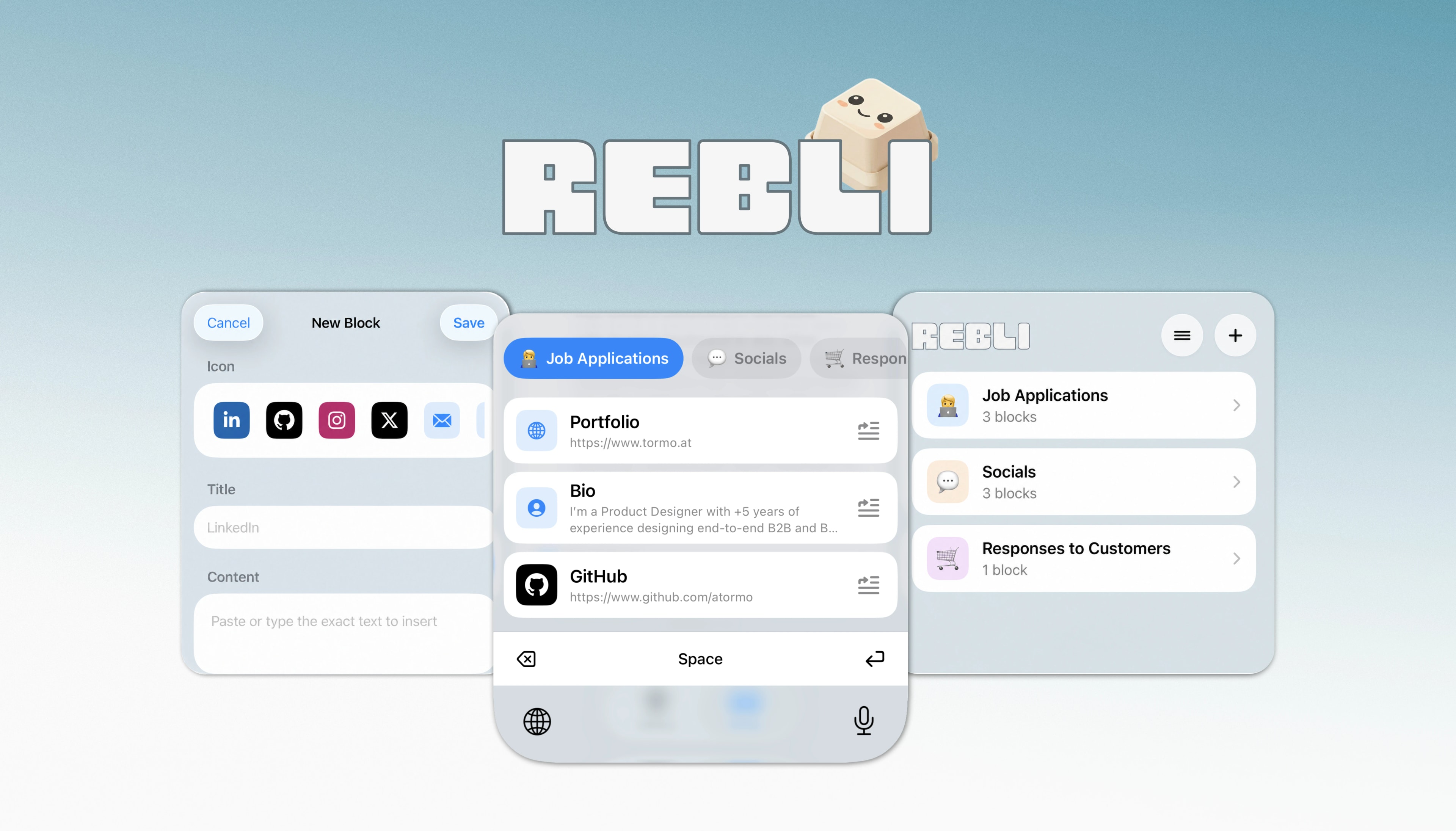
A local-first iOS app and custom keyboard that keeps links, profiles, answers, and other reusable text one tap away, without leaving the form or app you are using.
What I Learned
If you need an app, build it.
Rebli arose from a specific need. While I was looking for work as a product designer, I realized that I was applying to different job openings, but they all had more or less the same requirements: a bio, your portfolio, your LinkedIn, your GitHub… I had no problem entering the links manually because I already knew them by heart, but I needed to make better use of my time. That’s when the idea for Rebli came to me, and I got to work.
With Rebli, I solidified my understanding of Xcode, App Store Connect, and the entire app development workflow using TestFlight or simulators. It’s my second app, and I figured out some things on my own based on my experience with Liftwerk. It’s a much simpler app; I love the result, and above all, it’s very useful for me because I don’t have to keep copying and pasting links or text written in Notes or typing everything out by hand.
The Problem
The main problem is the one I already mentioned: the time wasted copying links or typing them out by hand. I thought I could automate it somehow, and the idea of creating an app came to mind instantly. Over time, I’ll figure out exactly what I consistently copy and paste and add it to Rebli so I have it on hand. Once the app was ready, I compared the time it took to use Rebli with the time it took to use my notes app, where I used to save the links, and I managed to cut the time needed to enter two links by as much as 15 seconds.
The Approach
At first, I thought about using a floating bubble that, when clicked, would open a popup with the links so you could copy and paste them manually into the field of your choice, but as I researched and saw the limitations Apple imposes on floating bubbles that cover other apps, the keyboard option started to look more appealing and I’m glad it did, because it’s definitely a much better option. I can enter links directly without having to copy and paste; I can do it with a single click, and it doesn’t take up any screen space, you can activate it right from your keyboard.
The Build
Development went quickly for such a simple app; the idea was clear, and all that was left was to bring it to life. I brought the idea to life using Codex and refined it through tests I conducted via TestFlight until I reached the final result, ready for the App Store.
Rebli is built as two native SwiftUI targets: the main app and the keyboard extension. Both read the same local archive through an App Group container, with atomic saves and a backup copy so groups and blocks remain consistent across the two surfaces. There is no server, account, analytics layer, clipboard access, or cloud sync.